


What's new
v1.6- 📈 Sensor & temperature history — PandaWatch now keeps a local time-series history of your sensor readings that persists across app sessions. Home Assistant-style gap-aware charts show chamber, nozzle, and bed temperatures alongside AMS humidity over time, with a fleet-wide dashboard to compare a single metric across all your printers.
- 🖥️ iPadOS 26 compatibility — full support for the new macOS-style window controls in split-view, slide-over, and Stage Manager so nothing overlaps your navigation.
- 🛡️ Stability & crash hardening — rewrote critical paths in MQTT handling, background sync, and app lifecycle transitions to eliminate crash and freeze conditions reported via telemetry.
- ⚡ Performance — heavy decoding work (thumbnails, MQTT payloads) now runs on background isolates, and all file I/O has been converted to async, keeping the UI buttery smooth even on large fleets.
- 💡 Smarter LED Auto OFF — the off-delay timer now survives app suspension and background push cycles, so your lights still turn off on schedule even when the app isn't in the foreground.
- 🔢 Badge counter fix — resolved an issue where the app icon badge could momentarily drop to zero during a background sync before snapping back.
- 🌀 Fan speed stability — fan percentages no longer flicker between adjacent values across MQTT updates.
- 🖨️ AMS tray detection — improved empty-tray detection by reading the firmware state field, reducing false "loaded" reports on newer firmware.
- 👻 Ghost error suppression — two undocumented error codes that Bambu's own apps ignore are now suppressed in PandaWatch to match that behaviour.
- ⌚ Watch improvements — more data in the detail view, cleaner layout, camera snapshot retrieval from the phone, and better timeout messaging.
- 🆕 A2L support — full integration for the Bambu Lab A2L printer.
- 🔒 Security hardening — credential redaction from logs, timing-safe HMAC validation, secure storage for sensitive tokens, and strict input validation on backend APIs.
Your whole fleet. One glance.
Sign in with your Bambu Lab accounts and PandaWatch pulls in every printer you own — no IP addresses, no network fiddling, no setup wizard. Got printers across multiple accounts? No problem. Whether you have one machine or twenty, you get live progress, camera feeds, temperatures, filament status, and error alerts in a single view.
Works from anywhere. Home network, office WiFi, 4G on the road — it doesn't matter. If your printers are online, you're connected.
Fleet Live Activities
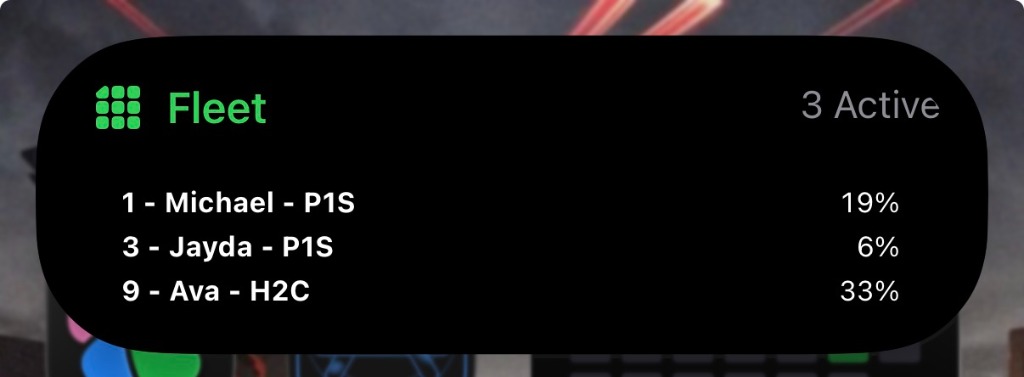
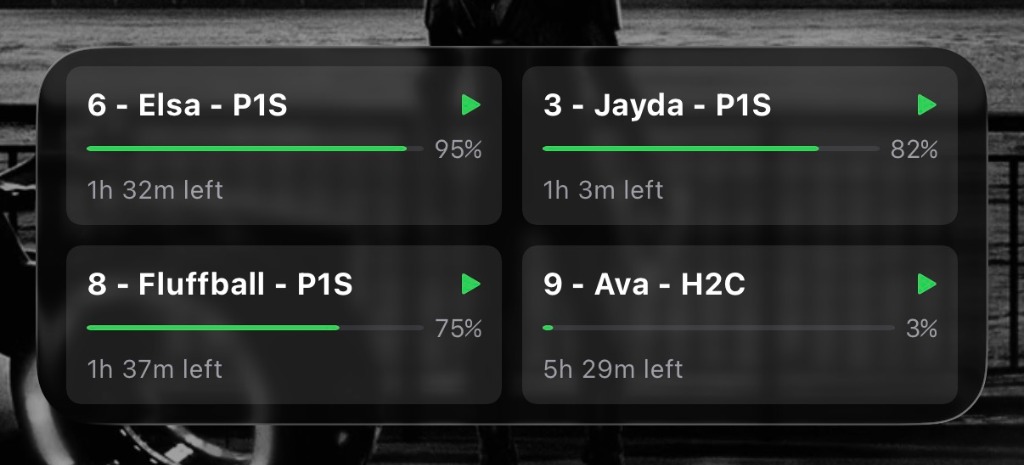
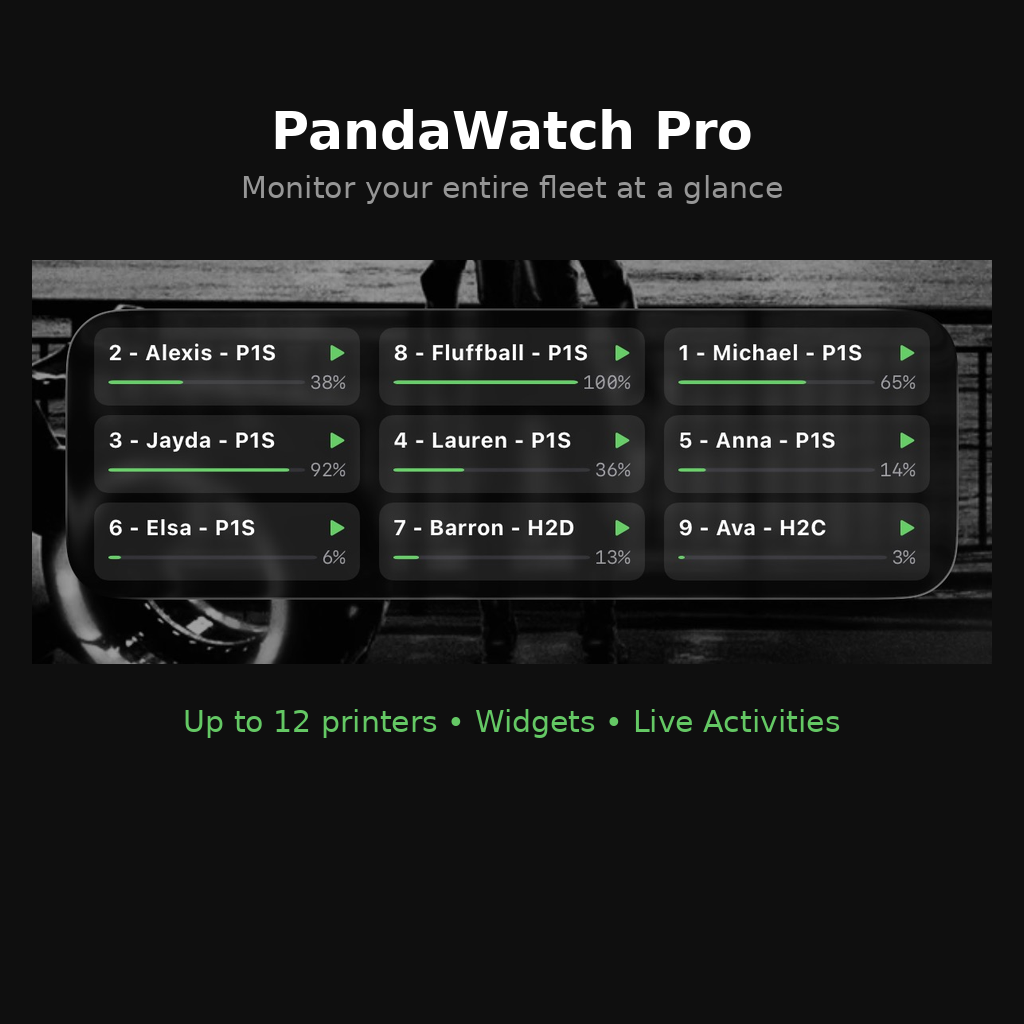
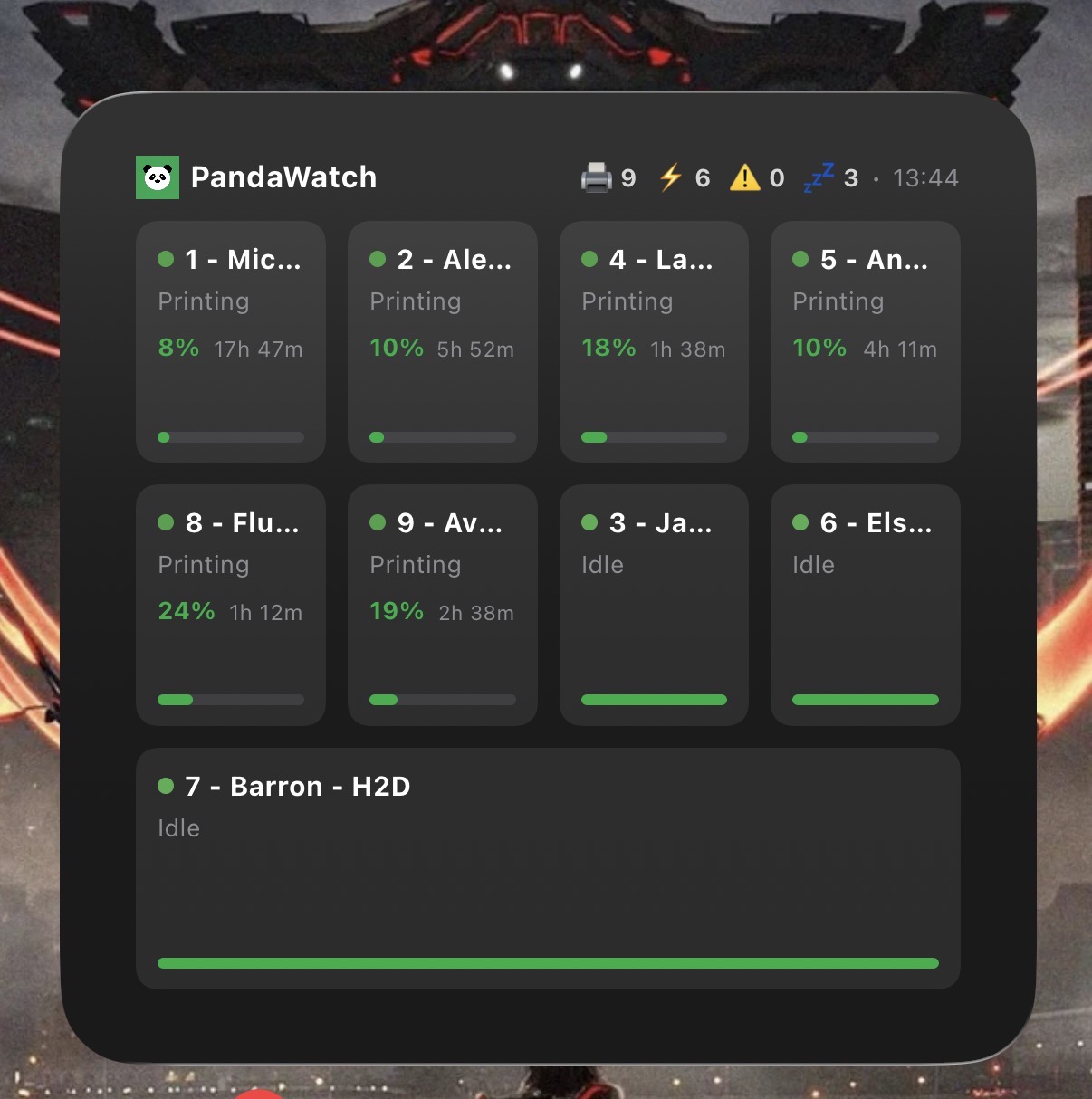
Track your entire 3D printer farm without even unlocking your phone. PandaWatch is the first and only app to offer multi-printer Live Activities for the Lock Screen and Dynamic Island.
- Real-time progress for your entire fleet
- Status alerts directly on the Dynamic Island
- One-tap access to any printer's camera
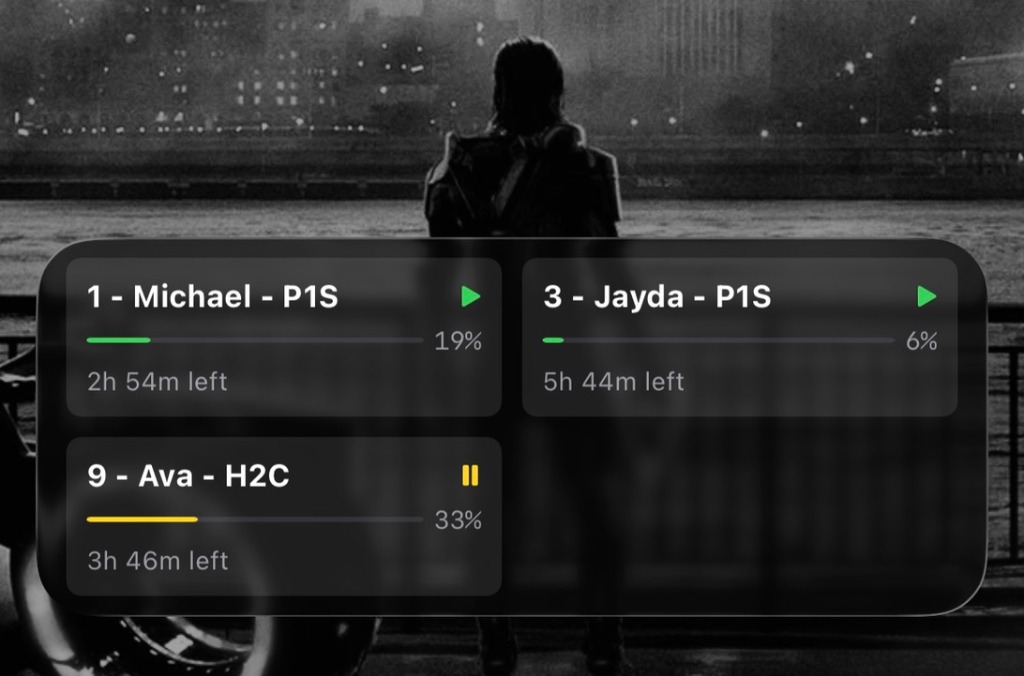
Hands-Free Fleet Monitoring
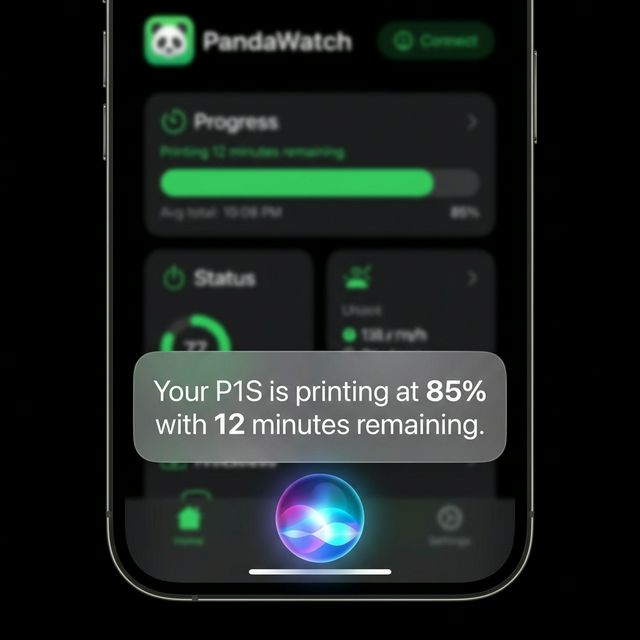
Just ask. PandaWatch integrates deeply with Siri and App Intents, letting you monitor your entire print farm using only your voice.
TRY SAYING:
- 💬 "How are my printers doing in PandaWatch?"
- 💬 "When will the next print finish in PandaWatch?"
- 💬 "Check printer status in PandaWatch."
Need a specific filament? Fleet Scout's voice integration makes finding the right printer effortless. Ask Siri which printer has the color and material you need, find printers with the most filament remaining, or check which printers are running low—all without touching your phone.
FLEET SCOUT EXAMPLES:
- 🎨 "Which printer has red PLA in PandaWatch?"
- 🎨 "Find printers with blue filament in PandaWatch"
- 🎨 "Which printer has red and blue in PandaWatch?"
- 🎨 "Which printer has red or blue filament in PandaWatch?"
- 🎨 "Which printer has the most black filament in PandaWatch?"
- 🎨 "Which printers are low on filament in PandaWatch?"
PandaWatch on Your Wrist
Your whole fleet, a flick of the wrist away. The native Apple Watch app puts live printer status, print progress, temperatures, and layer counts right where you can glance at them.
- Real-time print progress and status
- Nozzle and bed temperatures at a glance
- Layer count and time remaining
- Complications that keep your fleet on your watch face
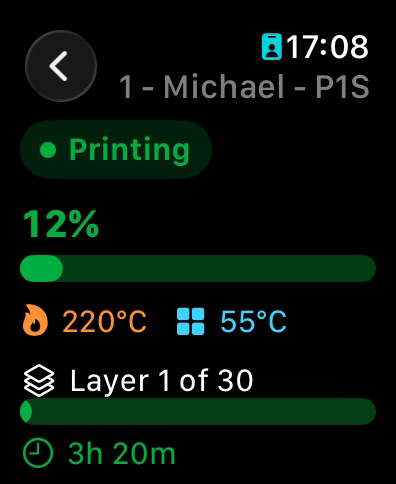
Zero setup
Sign in with your Bambu Lab accounts. That's it. PandaWatch finds your printers automatically — no IP addresses, no port forwarding, no config files. Multiple accounts supported.
Everything on one screen
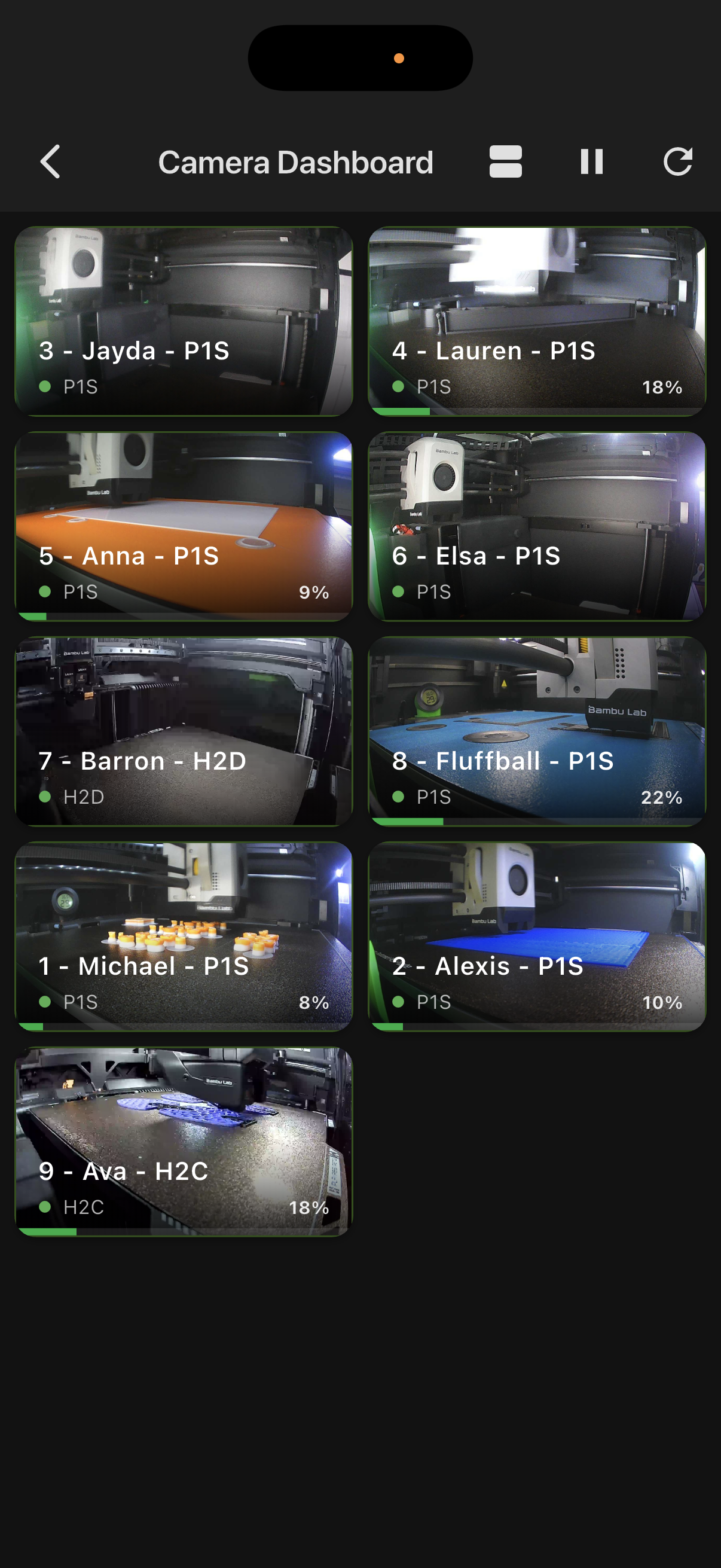
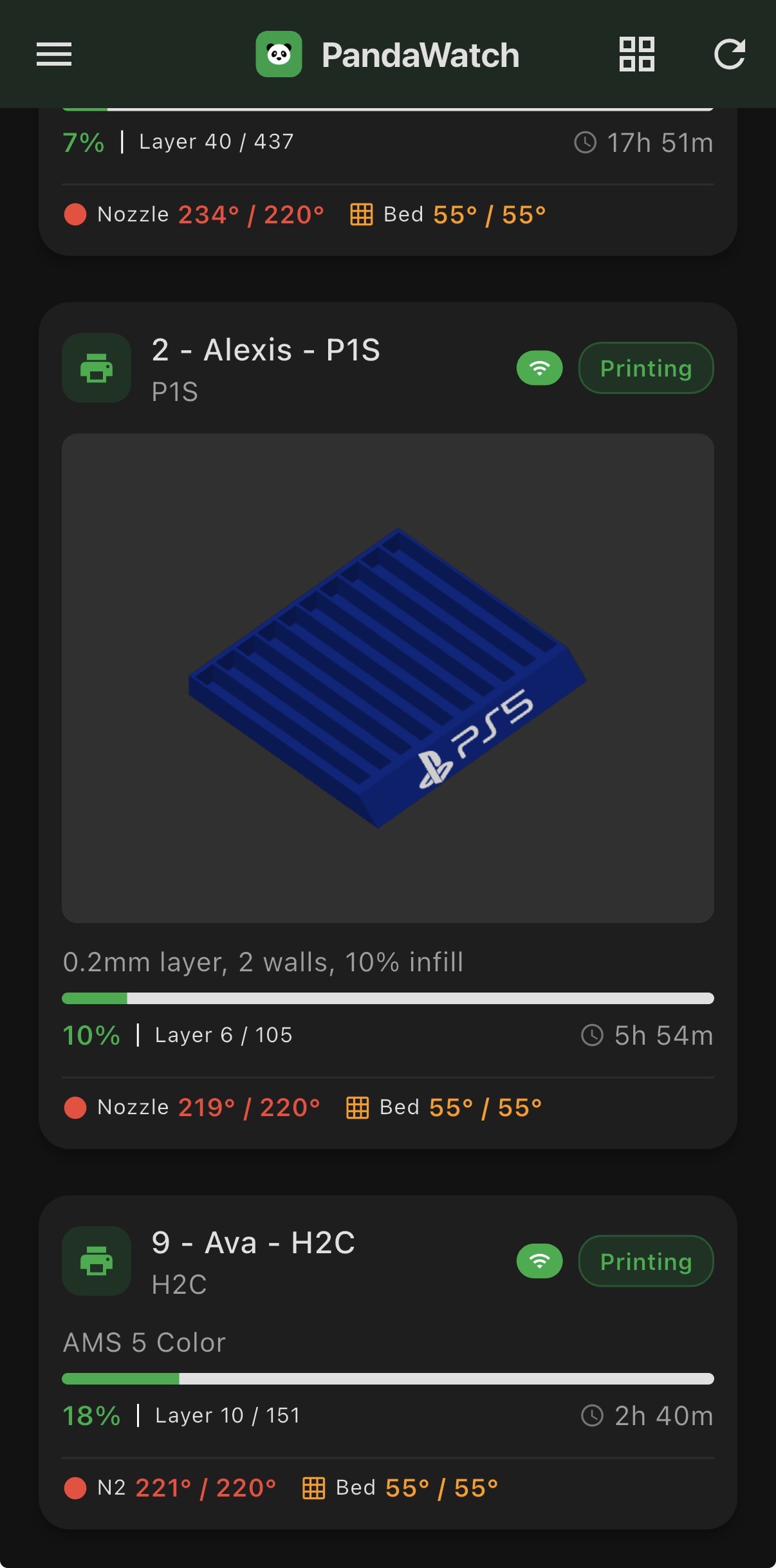
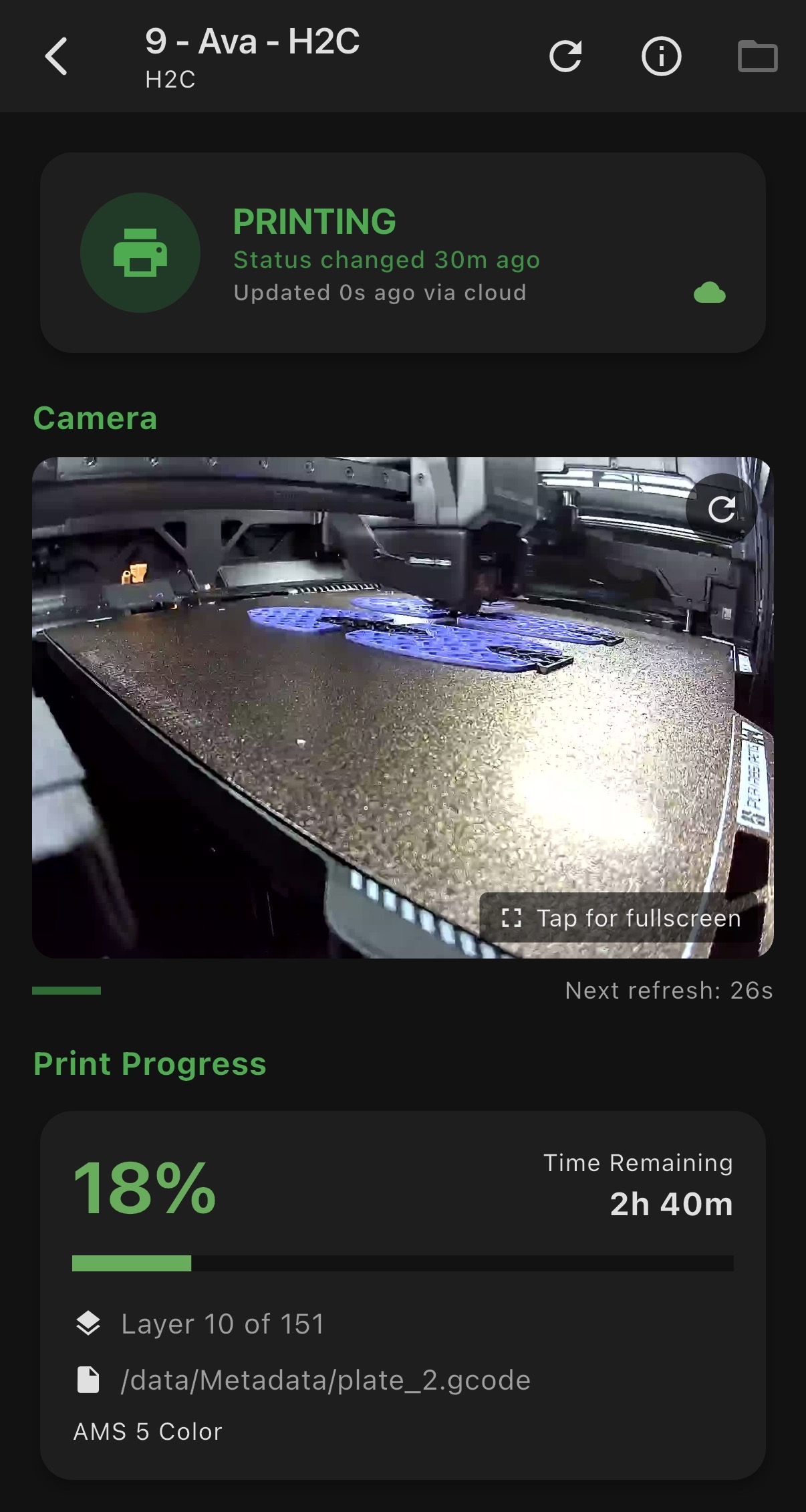
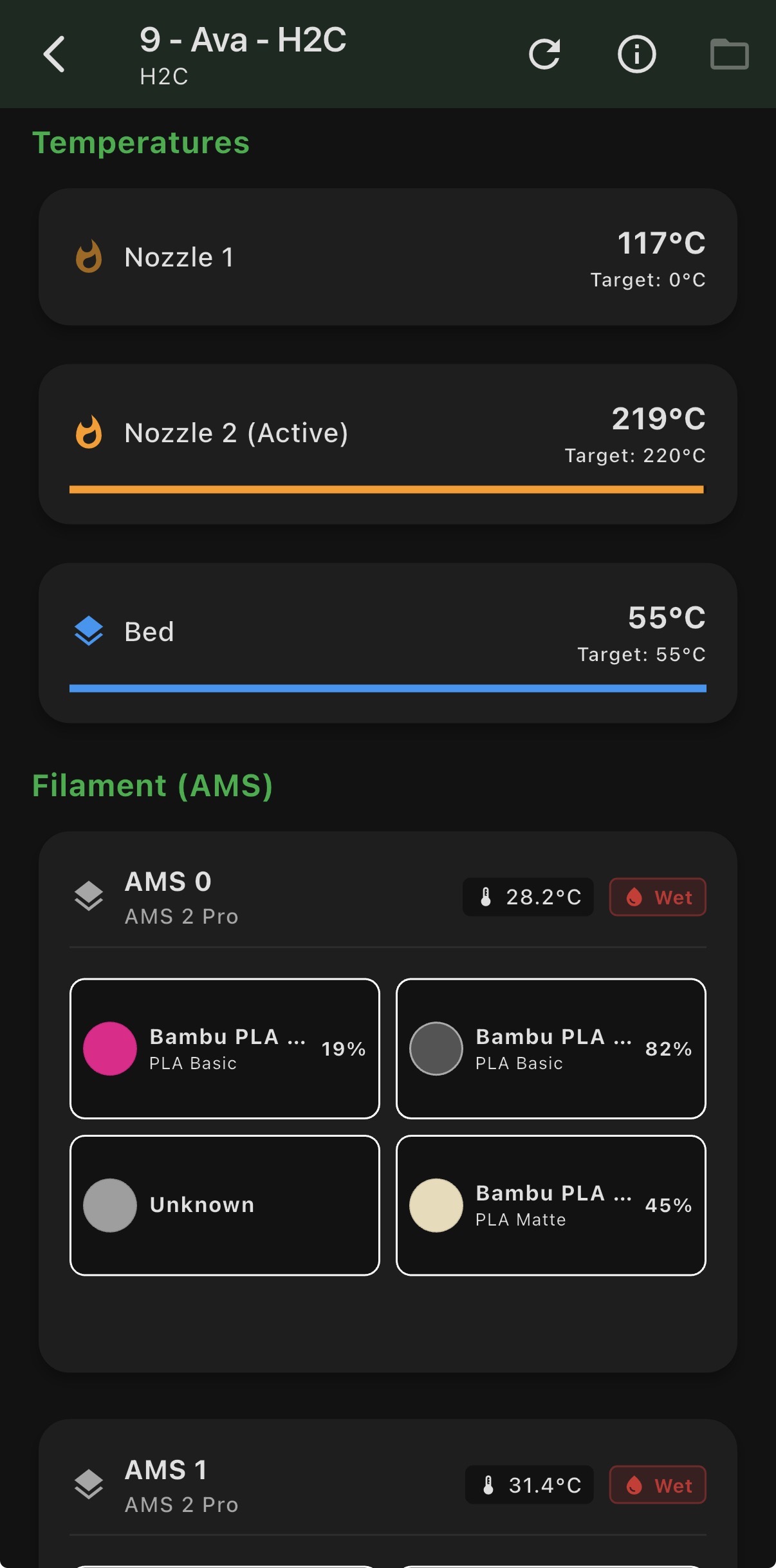
Live camera feeds, layer progress, temperatures, AMS filament status, and HMS error alerts — all your printers, all at once. Scroll to see more, tap to go deep.
Works when you're not watching
Widgets and badges update in the background so your home screen always shows current status. No need to open the app to know if something went wrong at 2am.
Apple Watch app
A native PandaWatch app for your wrist. Check printer status, live camera frames, and layer progress at a glance, with complications that put your fleet on your watch face.
Dismiss Error Codes
Hide a noisy error on a single printer or across your whole fleet. Manage and clear your dismissals any time from the Error Code Explorer.
Firmware Hub
See firmware versions across your whole fleet at a glance, spot pending updates, and read the official Bambu release notes and tags — all without leaving the app.
LED Control & Automation
Toggle chamber lights from the app, or let PandaWatch handle it: lights on when a print starts, off after a customisable delay when it ends. Set it once and forget it.
Smarter Sorting
Auto Sort already floats printing machines to the top. The new Secondary Sort lets you choose how they're ordered within that group — alphabetical, or by print time remaining.
Fleet Scout
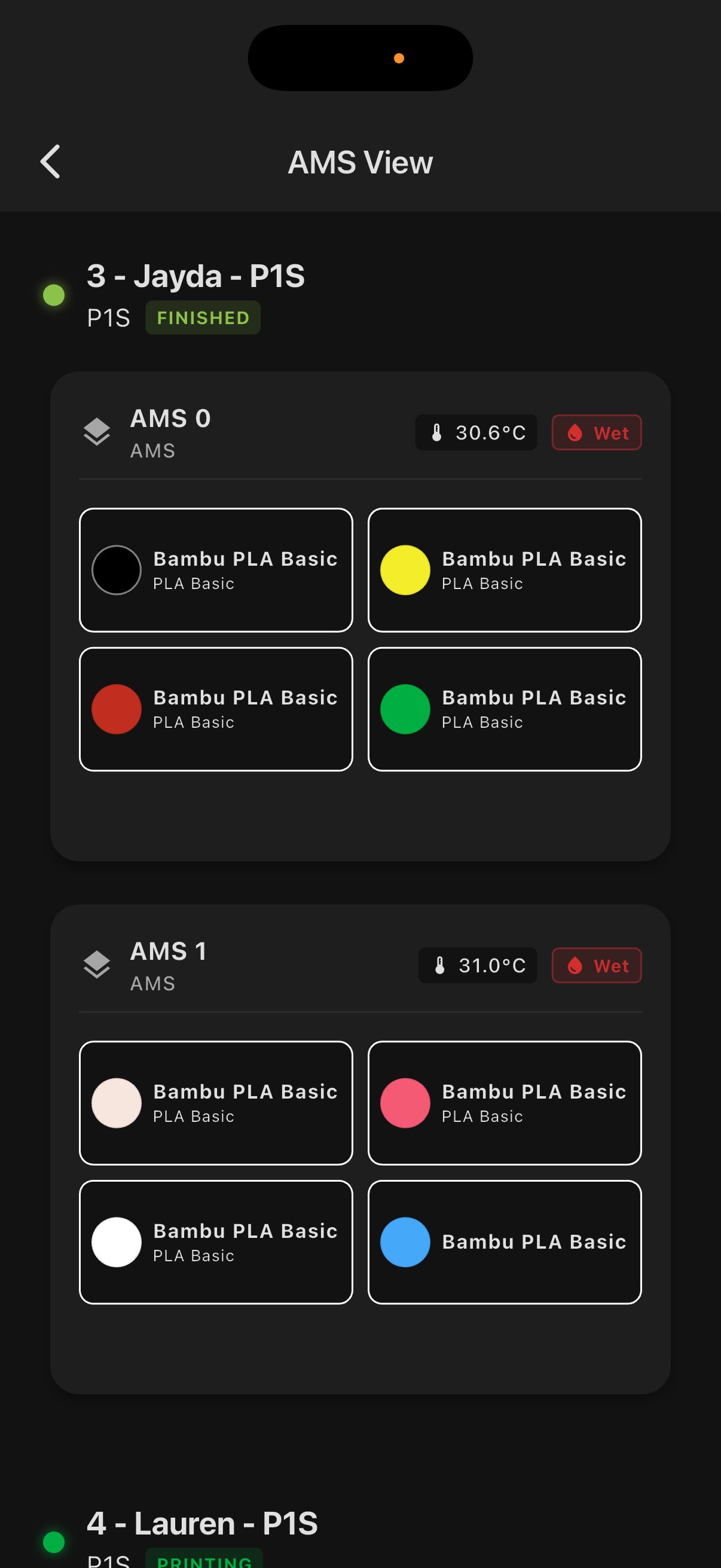
Got 8 printers and need one loaded with red PLA? Fleet Scout filters your fleet by filament color and material in seconds. Works with Siri too.
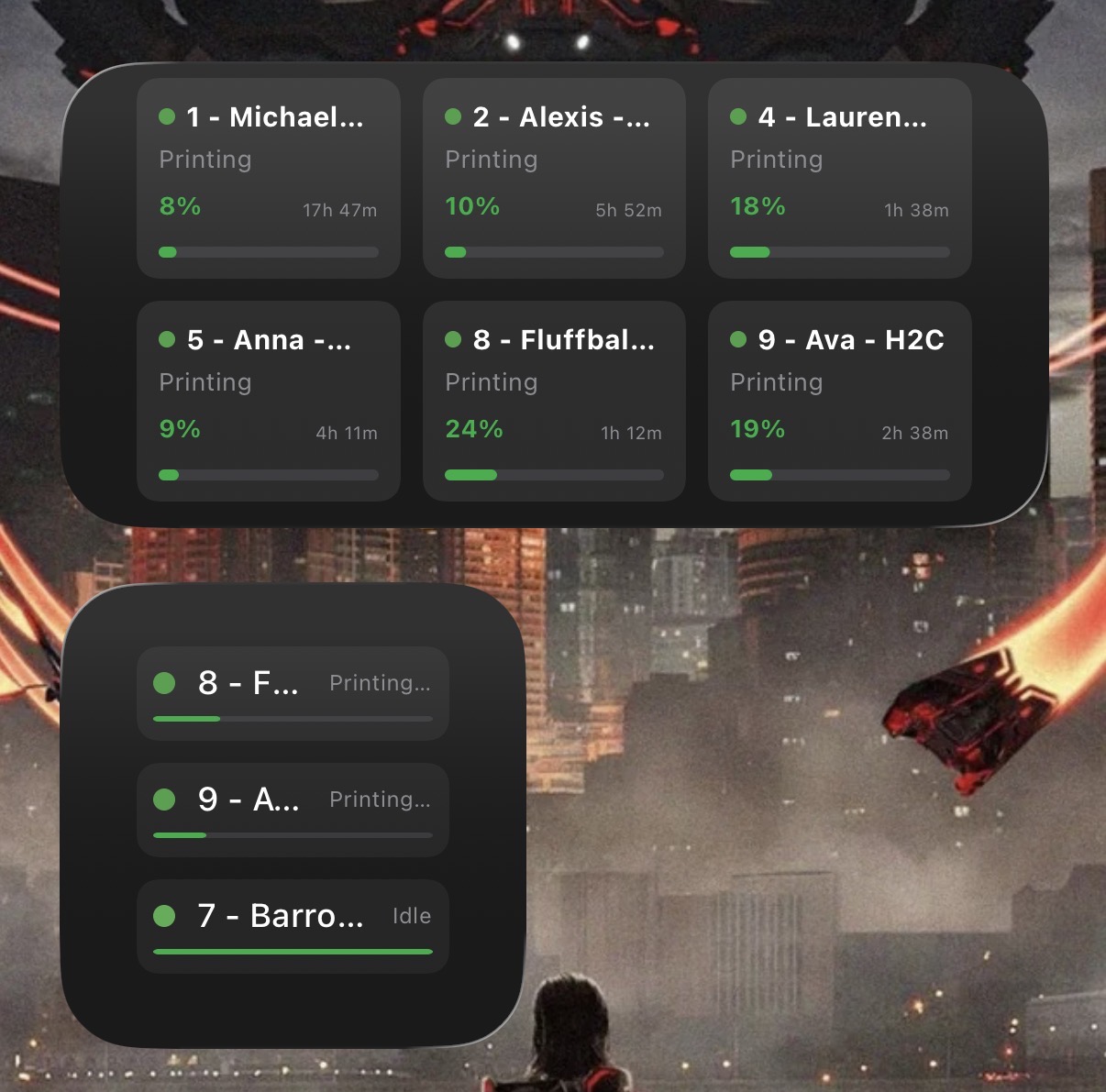
Home screen widgets
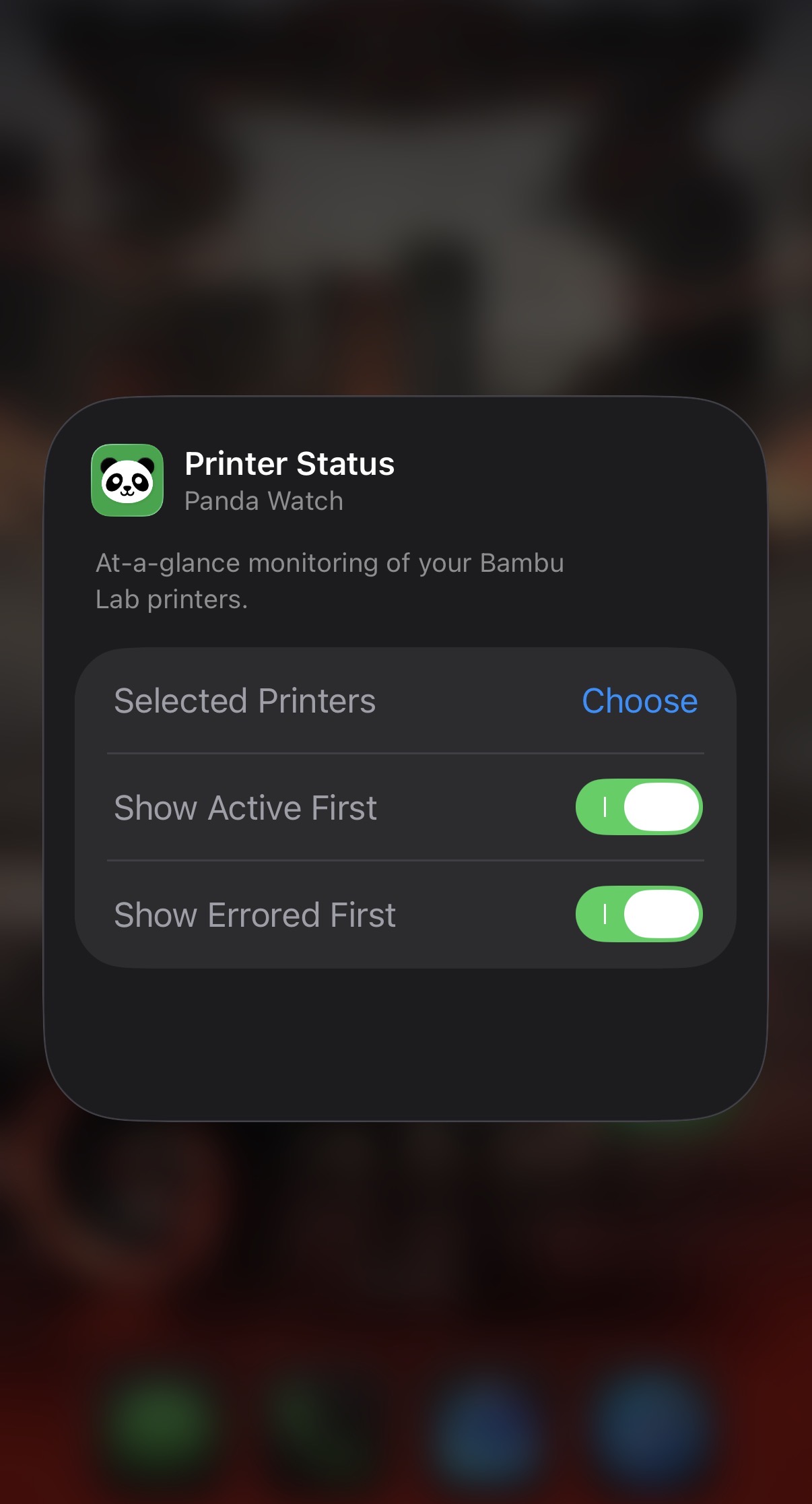
Pick which printers show on your widget, filter by filament color, tap to deep-link straight into the app. iOS and Android both supported.
Smart Analytics
Which printers are idle? Which ones are about to finish? The analytics view gives you a quick read on batch readiness and fleet health without digging through individual cards.
iPad at home, phone on the go
The iPad layout uses the extra space properly — a real desktop-class dashboard, not just a stretched phone view. Leave it running on a shelf as a dedicated monitor.
Multiple Bambu Accounts
Monitor printers across separate Bambu accounts simultaneously. Perfect if you manage personal and business setups, or run printers under different accounts.
Code Explorer
Browse the full database of known Bambu error codes. Drill into sub-categories to understand how the numbers map to components inside your machines.
What's inside
PandaWatch started as a way to stop walking to the printer room. It turned into something considerably more involved.
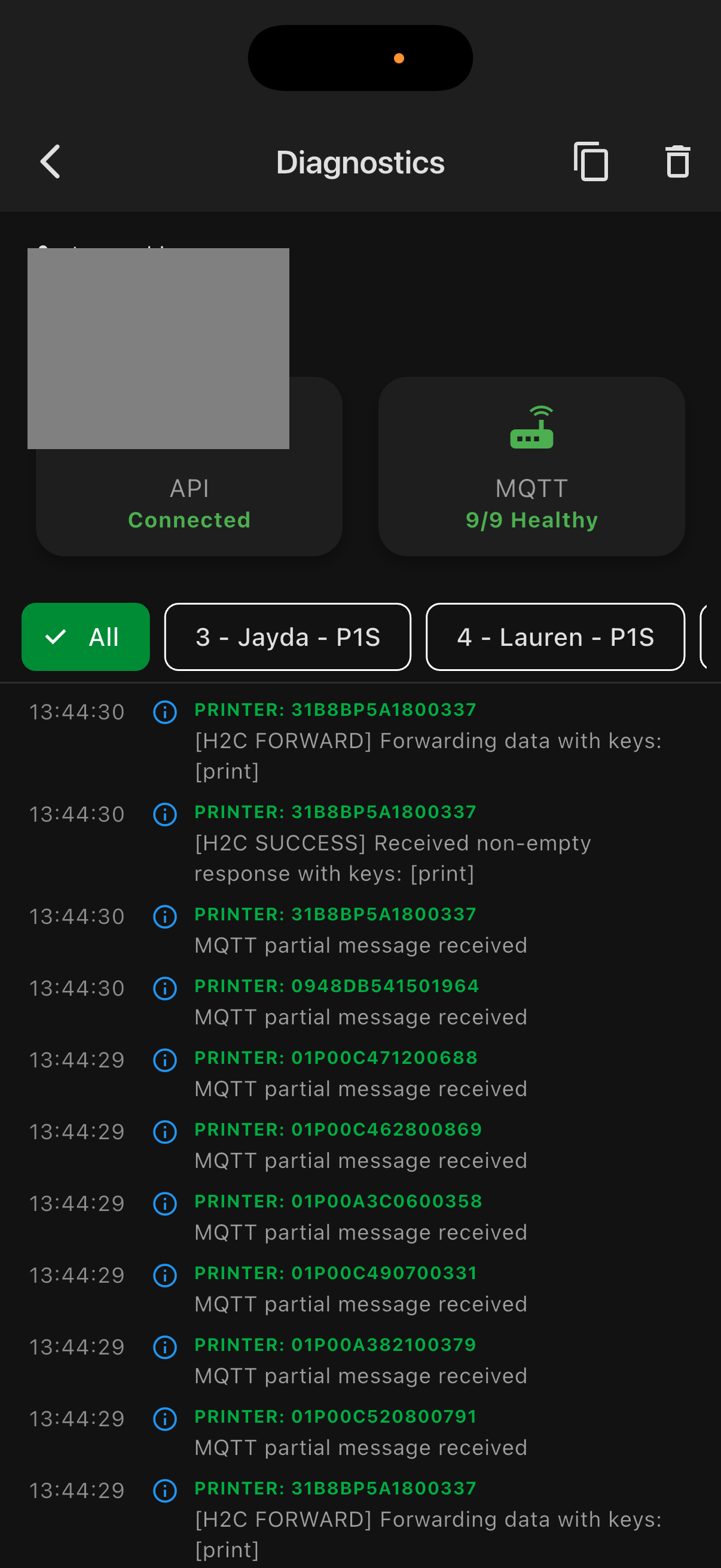
On the monitoring side: live camera feeds for every printer, real-time layer progress, temperatures, print speed, and time remaining. AMS filament status with color visualization. HMS error alerts with colour-coded dashboard rings so you can spot issues at a glance. A dedicated AMS dashboard if you're running multi-material across multiple machines.
On the fleet side: Fleet Scout lets you filter your entire printer farm by loaded filament color and material — useful when you have eight printers and need the one with red PETG. Printers can be grouped, sorted, nicknamed, and hidden. The analytics view shows you batch readiness and idle machines at a glance.
On iOS, Live Activities push your fleet status to the Lock Screen and Dynamic Island in real time — up to 12 printers simultaneously. Siri integration means you can ask "which printer has blue PLA?" without touching your phone. Widgets on both iOS and Android update in the background and support interactive filament filtering directly from your home screen.
New in v1.6: Sensor & temperature history charting brings Home Assistant-style gap-aware time-series graphs to every printer — chamber, nozzle, and bed temperatures plus AMS humidity, with a fleet-wide comparison dashboard. iPadOS 26 split-view and Stage Manager work seamlessly. A major stability pass rewrote crash-prone MQTT, background sync, and lifecycle paths. Heavy decoding now runs off the main thread, and LED Auto OFF timing survives background wakes. Plus: A2L support, improved AMS tray detection, ghost error suppression, and security hardening across the board.
From v1.5: PandaWatch comes to Apple Watch — a native app with printer status, live camera frames, layer progress, and complications for your watch face. Error handling levels up too: you can now dismiss a noisy error code on a single printer or across your whole fleet, and manage or clear those dismissals from the Error Code Explorer. HMS troubleshooting links use Bambu's official per-model wiki database, and unknown codes get an inline explanation. The Bambu Lab X2D joins the supported lineup with full dual-nozzle, RTSP camera, and active chamber-heater support. Background refreshes are more resilient — local and Pro silent-push wakes now save every printer that responds in time, even if iOS cuts things short.
From v1.4: Background Push Updates (Pro) keep widgets and Live Activities current even when the app is closed — the server wakes your device every 5 minutes while a print is active, and every 15 minutes when things are idle. The Firmware Hub summarises firmware across your fleet and surfaces the official Bambu release notes for pending updates. LED Control adds both a manual chamber-light toggle and automation — lights on when a print starts, off after a customisable delay when it ends.
Since v1.3: multiple Bambu account support lets you monitor printers across separate accounts in one place. RTSP video streaming brings smoother camera feeds to H2, P2, and X1 series. The Code Explorer lets you browse the full database of known Bambu error codes and understand how they map to machine components. A1/P1 owners get a Camera Fast Mode for full-screen viewing.
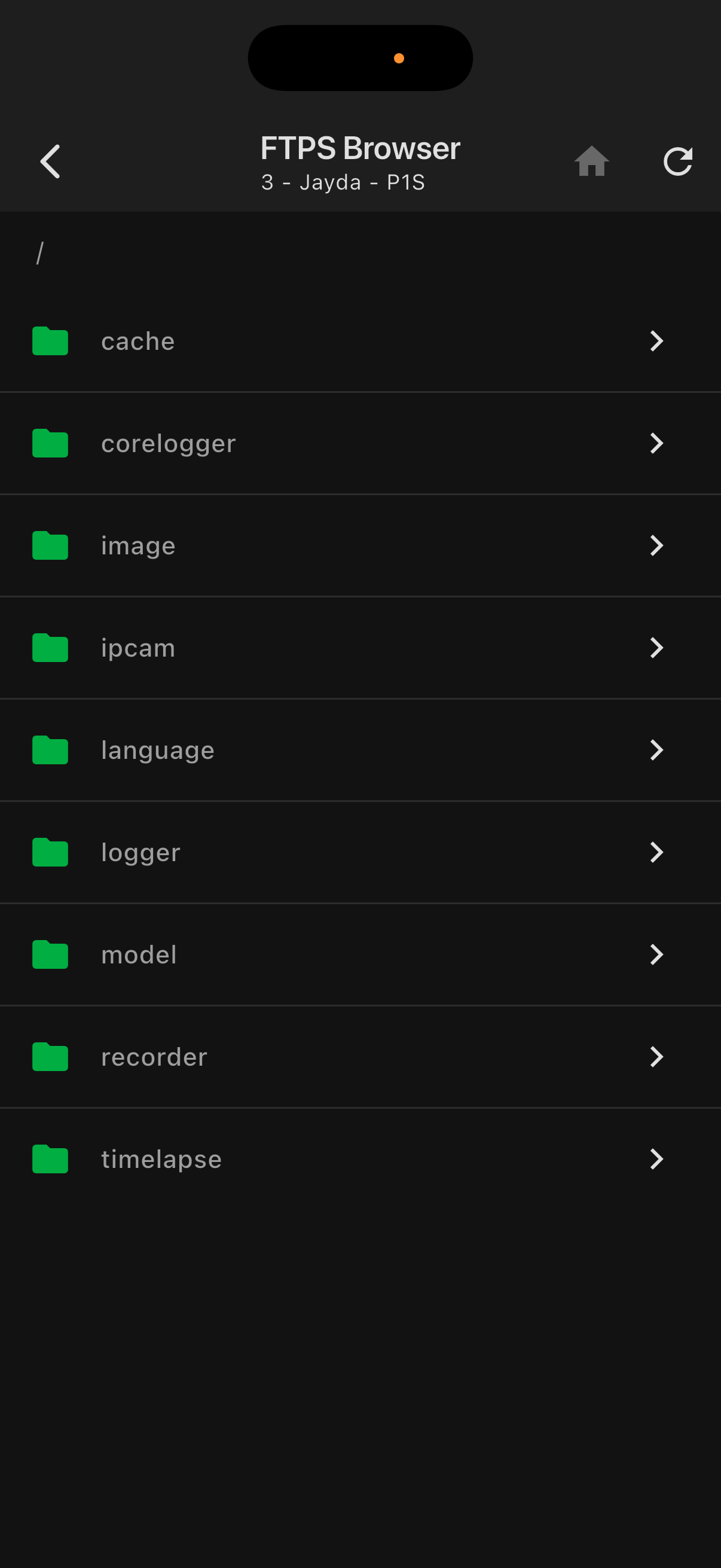
A few things that don't get enough credit: FTPS file browsing works on X1, H2, and P2 series (which require TLS session resumption — something most apps quietly skip) — and now supports previewing 3MF files, images, and livestream playback. Cached camera images show the last known frame when you're off your home network. Screen Stays On mode turns any iPad into a dedicated monitoring display. And the whole thing works from anywhere — no VPN, no local network required.
Who made this
I'm Michael — software engineer by day, 3D printing obsessive by most evenings. I run a small side business that involves a lot of printers, which meant a lot of walking across the room to check if something had failed. Eventually I got tired of it and built PandaWatch.
That was supposed to take a weekend. It did not take a weekend. Two months later it has Live Activities, Siri integration, a native FTPS client, and more settings than I care to admit. I use it every day, which is probably why it keeps getting features.
If something's broken or you want a feature, email me at support@pandawatch.org. I actually read it.
Free for Life
The core app is free. Not "free with a paywall after 3 days" free — actually free, for unlimited printers, forever. Monitoring, cameras, diagnostics, widgets, Siri, Fleet Scout — all of it, no fleet size cap.
The one paid feature is multi-printer Live Activities on the Lock Screen. Up to two printers is free. PandaWatch Pro unlocks up to 20 active printers on your Lock Screen simultaneously — a one-time $3.99 USD unlock. No subscription, no expiry. Your fleet size stays unlimited either way.
Pro also includes Background Push Updates — always-fresh widgets and Live Activities, even when the app is closed. The server wakes your device on a dynamic schedule: every 5 minutes while a print is running, every 15 minutes when your fleet is idle. Your home screen and Lock Screen stay current without draining your battery.
If the app saves you a ruined print or two, consider buying me a coffee:

See it in action
📊 Dashboard & Monitoring
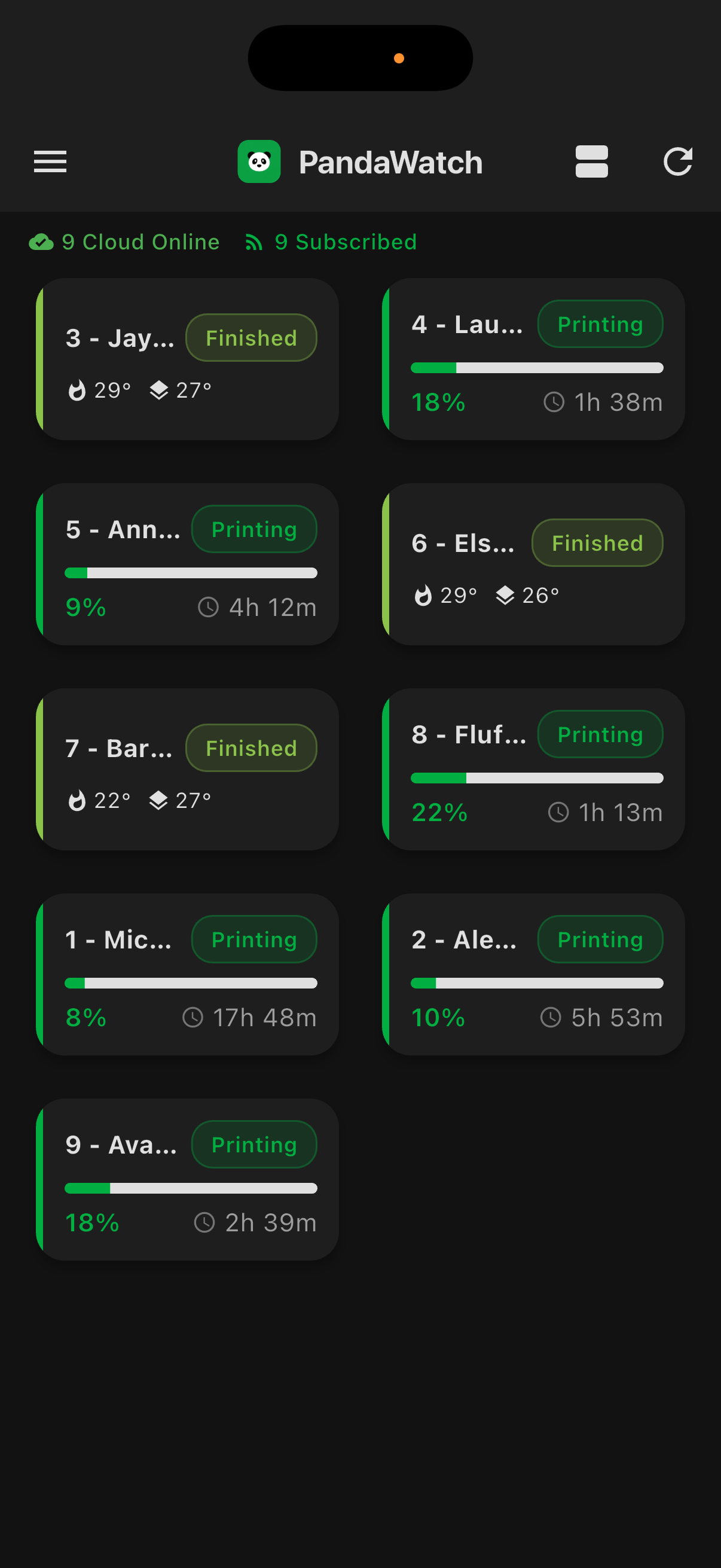
⚡ Live Activities & Widgets
🔍 Printer Details
🏭 Fleet Management
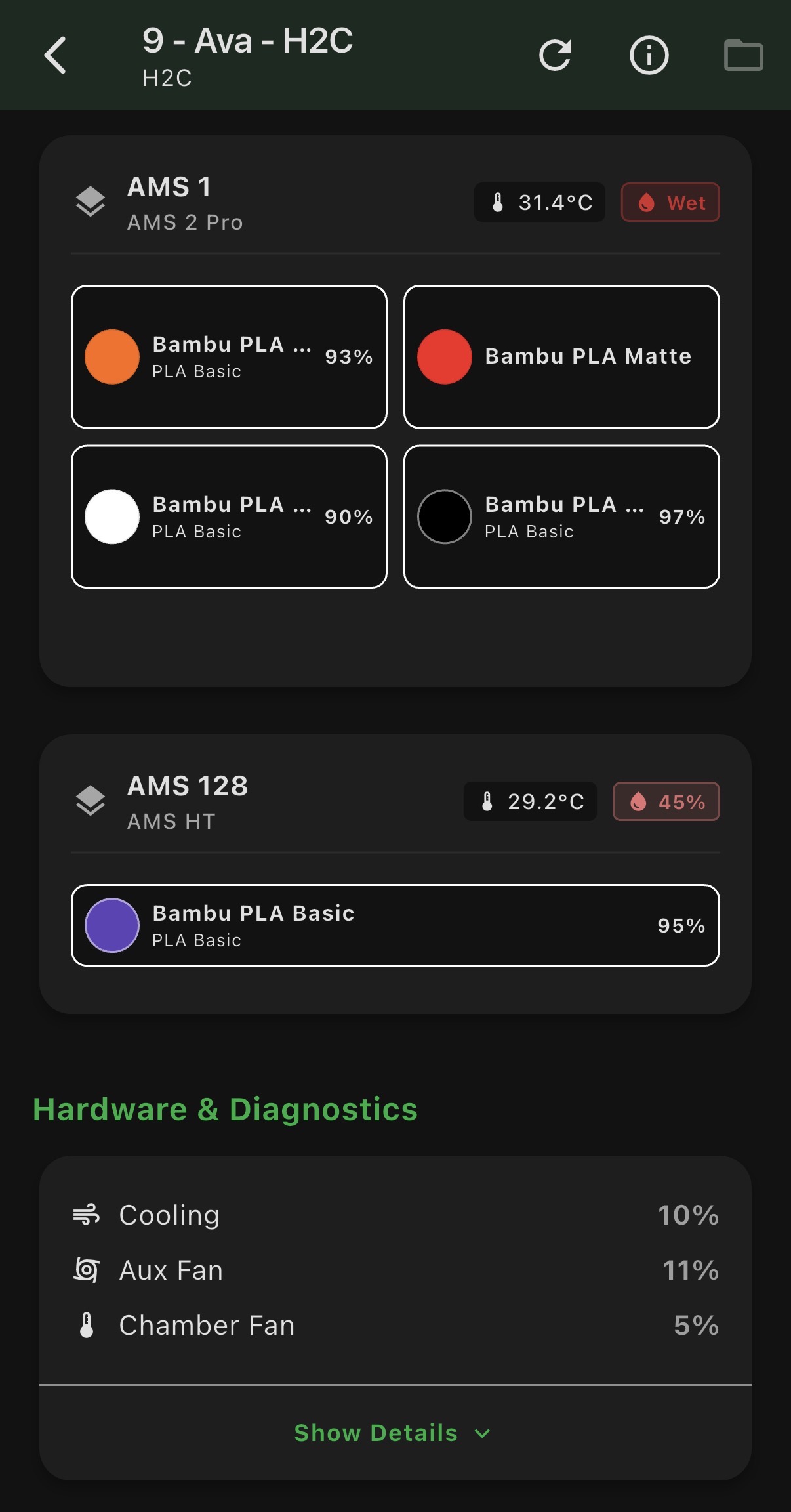
Android is coming
PandaWatch for Android is in development. Drop your email and we'll let you know the moment it's available — no spam, just one email when it launches.